Hear any text.
Anywhere.
Read PDF aloud, convert documents to audio and listen to anything you paste, scan or snap in 31 natural, human-sounding AI voices. Everything runs on your iPhone, so it works offline and your words stay private.
- 100% on device
- Works offline
- No account
- No ads
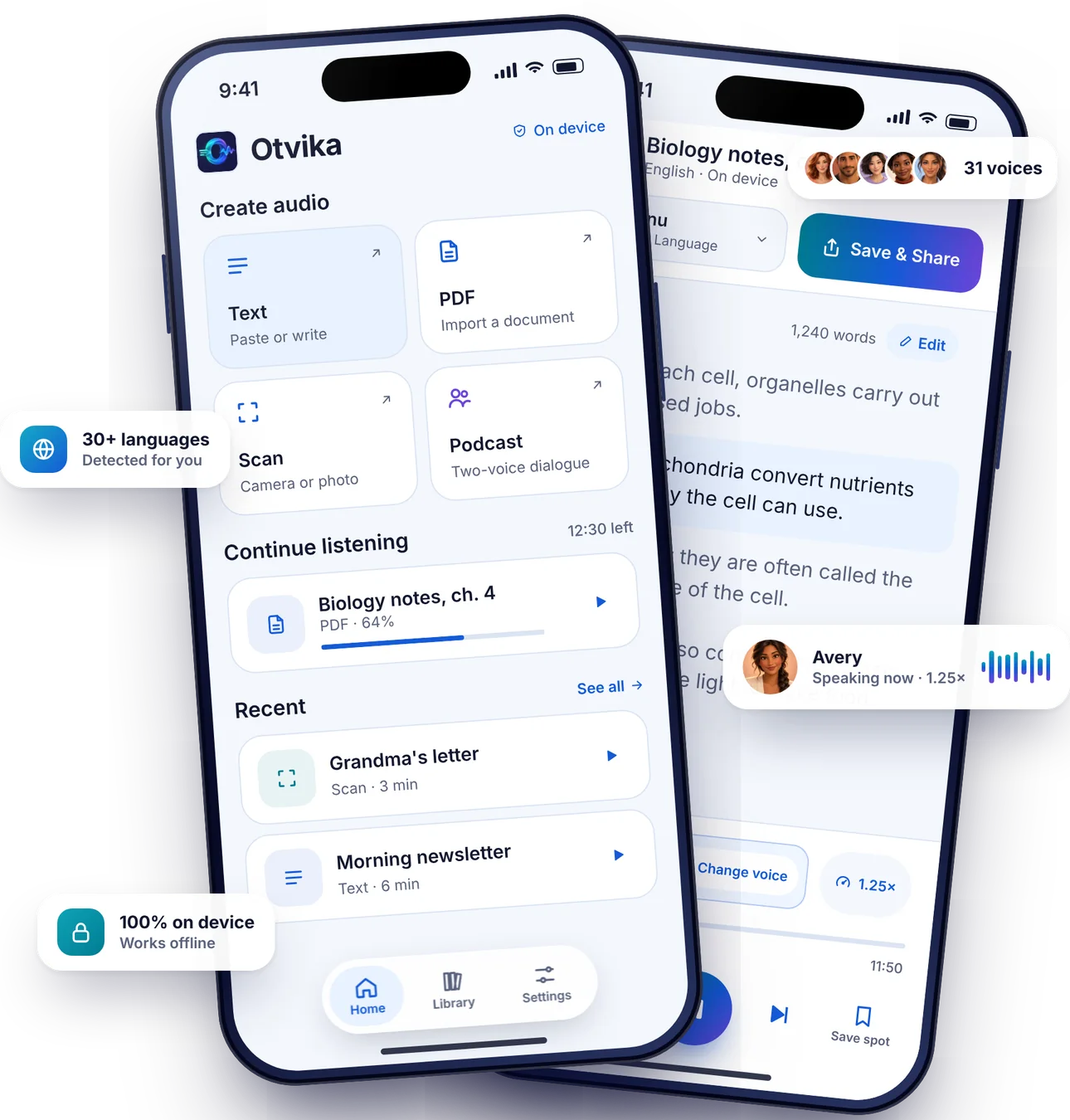
Convert PDF to audio in three taps.
The easiest way to listen to documents on iPhone, with no upload and no waiting.
Add your text
Import a PDF, scan a page with your camera, pick photos or paste any text.
Pick a voice
Choose from 31 natural AI voices, or let Otvika detect the language and pick one for you.
Listen or export
Press play and read along, or save it as an audio file to listen anywhere.
From PDF to audio in seconds.
Watch Otvika turn text, PDFs and scanned pages into natural speech, pick a voice, and read along as it speaks.
- Import a PDF, scan a page or paste text
- Preview any of the 31 voices
- Follow every sentence as it’s read aloud
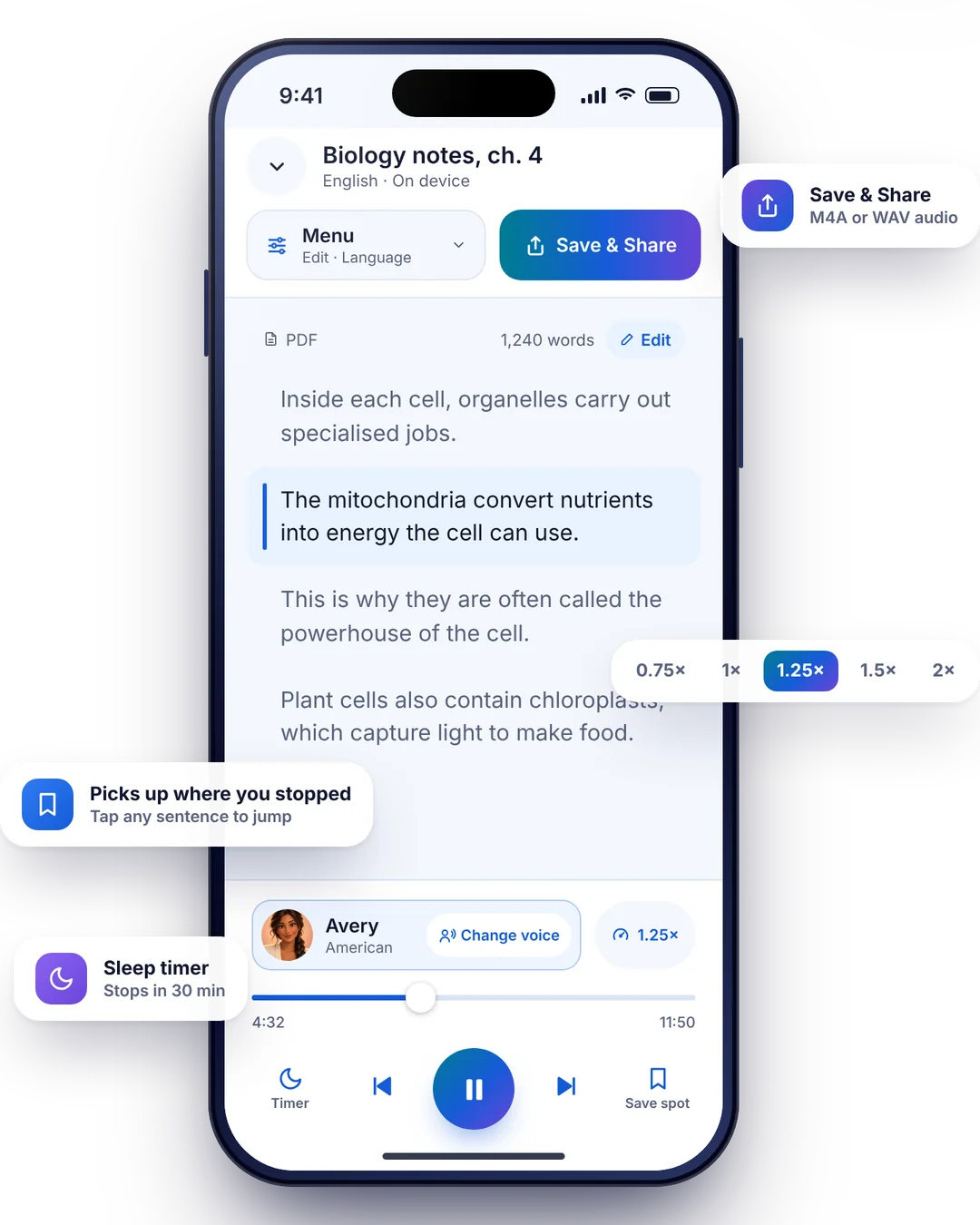
A text reader app you can follow along with.
Each sentence lights up and the text scrolls with the voice. Tap any sentence to jump to it, and Otvika remembers where you stopped so you can pick up later.
- Speed from 0.75× to 2×, plus a sleep timer
- Plays in the background and from the lock screen
- A library with search and progress for everything you save
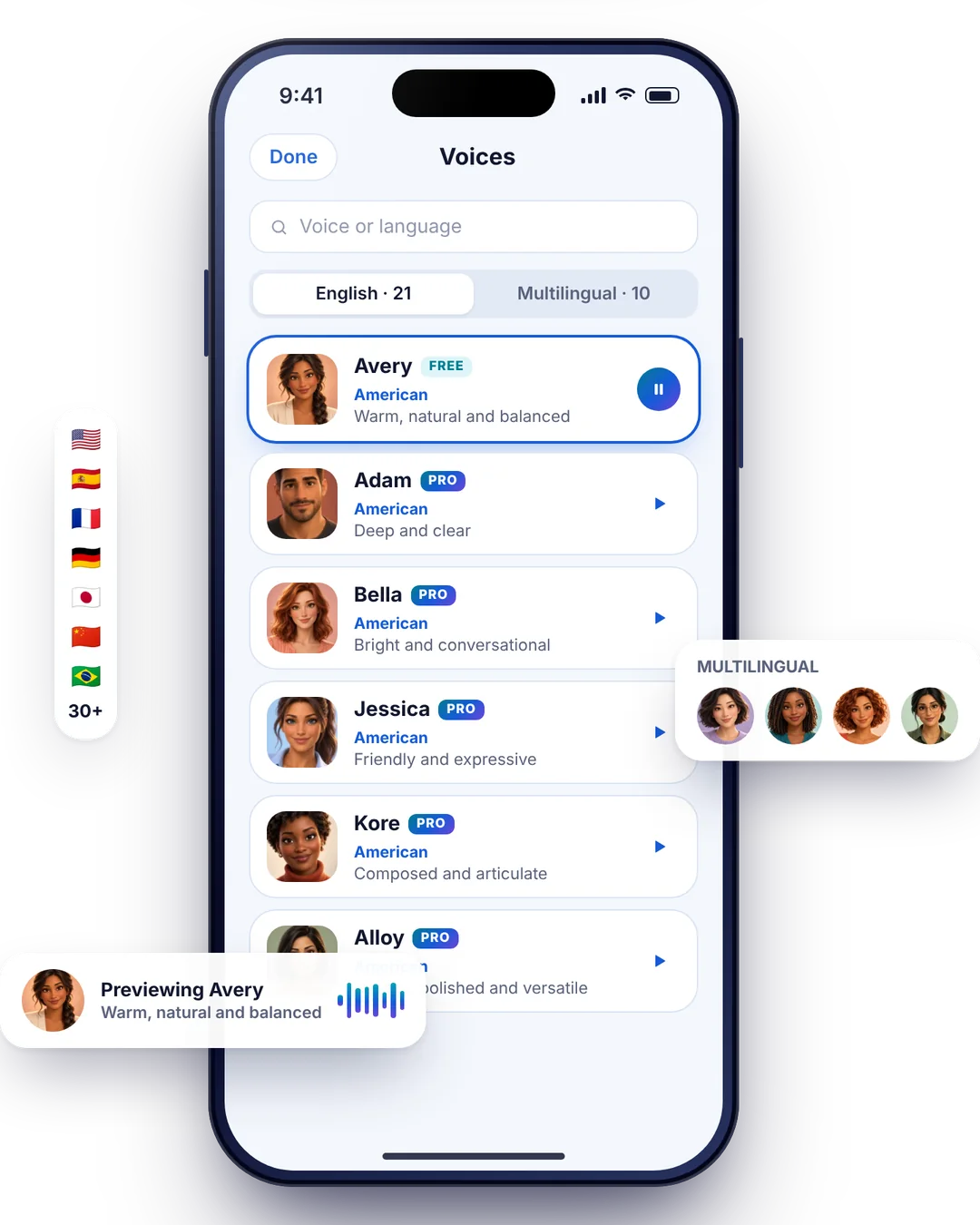
A voice you’ll actually want to listen to.
Pick from 31 natural voices, each with its own personality, and preview any of them before you choose. English voices give warm, expressive narration, and multilingual voices read more than 30 languages.
- Spanish, French, German, Portuguese, Japanese, Korean and more
- Chinese text gets a native Mandarin voice
- Otvika detects the language and picks a suitable voice for you
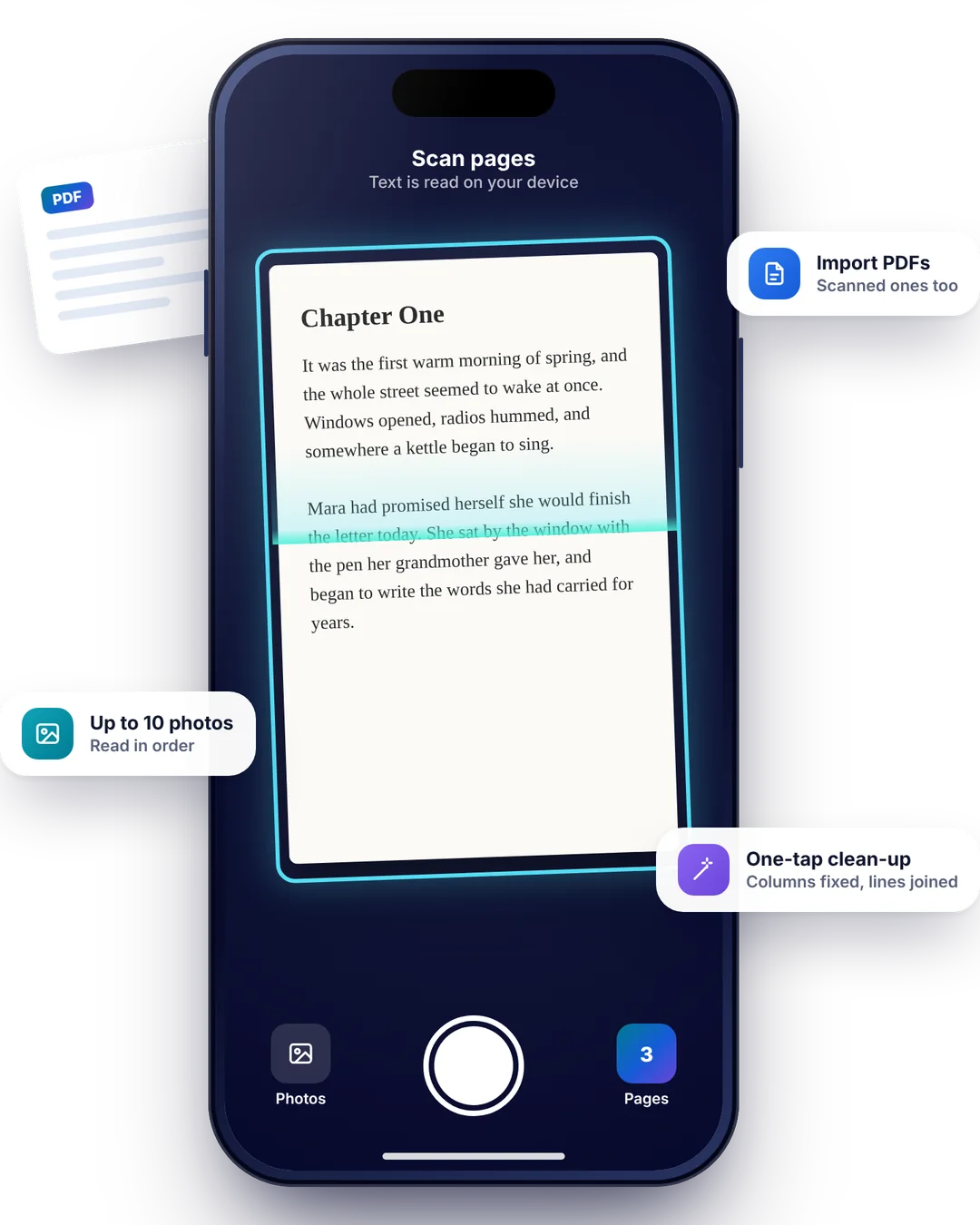
Read PDF aloud on iPhone. Even scanned ones.
Import any PDF, or point your camera at a page. On-device text recognition reads books, letters, handouts, worksheets and notes, so you can listen to documents instead of squinting at them. Capture pages with your camera or choose up to 10 photos at once.
- Two-column pages are read in the right order
- Broken lines are joined back into paragraphs
- Edit, find and replace, or clean up messy imports in one tap
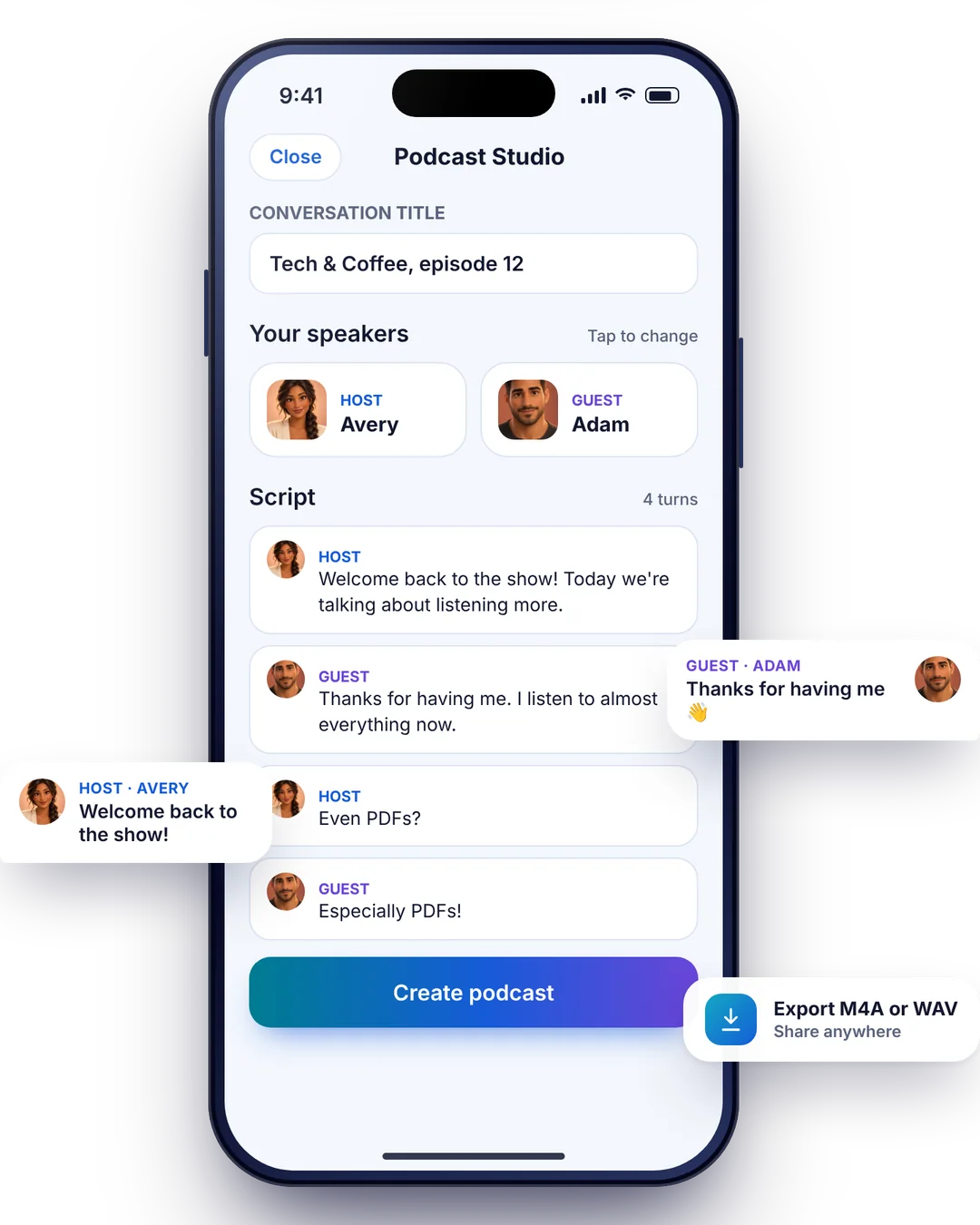
Two voices. One conversation.
Choose a Host and a Guest voice, write line by line or paste a script with “Host:” and “Guest:” labels, and hear a natural back-and-forth conversation in one tap.
- Great for dialogues, interviews and language practice
- Import scripts from text or PDF
- Save and share your podcast as audio
Made for real listening.
Everything you need to turn reading into listening, without the clutter.
Text
Paste or type anything you want to hear, from articles to your own writing.
Import documents, including scanned PDFs. Repeating headers and page numbers are skipped.
Scan
Capture pages with your camera or choose up to 10 photos of your notes.
Pick up where you left off
Otvika remembers your place in every listening, with progress in your library.
Sleep timer
Fall asleep to a chapter. Playback stops when you want it to.
Convert PDF to audio
Save any listening as an M4A or WAV file and share it to Files, Messages, AirDrop and other apps.
Your words never leave your iPhone.
Your text, documents, scans and audio are processed and stored only on your device. The voices are built into the app, so they work on a plane, on the subway, anywhere.
- Everything runs on device
- Works fully offline
- No account, ever
- No ads, no tracking
Free to listen. Every voice.
Listen to as much as you like with all 31 voices. Upgrade only if you want to export audio with every voice.
Free
Everything you need to listen.
- Listen with all 31 voices
- Text, PDFs, scans and photos
- Podcast Studio
- Read along, speed control and sleep timer
- Export audio with Avery, our most natural voice (Avery and Bella in Podcast Studio)
Pro
Weekly subscription or one-time lifetime purchase.
- Everything in Free
- Export audio with all 31 voices
- Save as M4A or WAV
- Share to Files, Messages, AirDrop and other apps
- Export any podcast with any Host and Guest
Pro is purchased in the app; prices are shown in your local currency on the App Store. Subscriptions renew automatically unless cancelled at least 24 hours before the end of the current period, and you can manage them anytime in your App Store account settings.
Questions, answered.
Is Otvika really free?
Yes. Listening is free with every voice, and so are scanning, PDFs and Podcast Studio. You can also save and share audio for free with Avery (and with Avery and Bella in Podcast Studio). Otvika Pro unlocks audio export with all 31 voices.
How do I read a PDF aloud on iPhone?
Open Otvika, tap PDF and pick your document from Files. Choose a voice and press play. Each sentence lights up as it’s read, and scanned PDFs work too.
How do I convert a PDF to audio?
Import the PDF, press play to check the voice, then tap Export to save it as an M4A or WAV audio file. Export is free with Avery; Otvika Pro unlocks export with all 31 voices.
Does it work without internet?
Yes. All voices run on your iPhone, so reading works in airplane mode. An internet connection is only needed to buy or restore Otvika Pro.
Is my data private?
Your text, documents, scans and audio are processed and stored only on your iPhone. There are no accounts, ads or analytics. Read the Privacy Policy.
Which languages can it read?
Multilingual voices read more than 30 languages, including Spanish, French, German, Portuguese, Japanese and Korean, and Chinese text gets a native Mandarin voice. Otvika detects the language and picks a suitable voice for you.
Can it read scanned PDFs and photos?
Yes. Scanned PDFs without a text layer are read with on-device text recognition, and you can capture pages with your camera or pick up to 10 photos. Two-column pages are read in the right order.
How do I get help?
Visit our Support page or email support@otvika.online. We read every message.
Start listening today.
Turn your reading list into something you can hear. Free to download, free to listen.
Download on theApp Store